
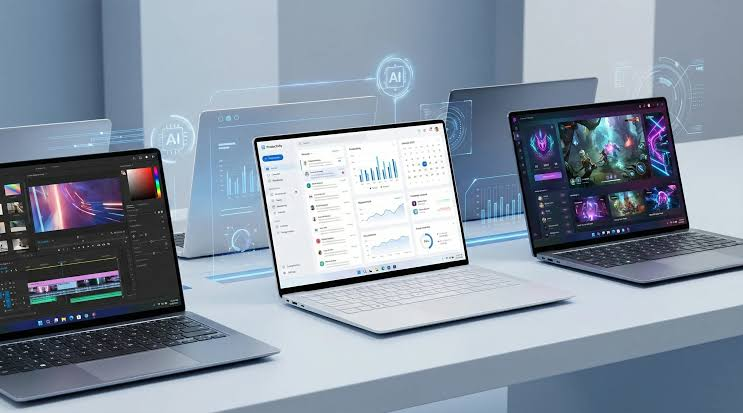
Buying a new laptop is a significant investment, especially when you expect to use it for work, study, entertainment or creative projects for several years. With so many models offering different processors, displays, storage options and designs, it can be difficult to know which features actually matter. Before making a decision, it is worth researching real world experiences and detailed technology reviews on Root-nation.com rather than relying only on marketing specifications.
Decide What You Need the Laptop For
The first question should always be simple: what will you actually use the laptop for?
A student may primarily need a machine for browsing, documents, research and video calls. A business professional may prioritise portability, battery life and a comfortable keyboard. A creator may need a high quality display and stronger hardware, while a gamer will usually care more about graphics performance and cooling.
Write down the applications and tasks you expect to use most often. This will help you avoid paying for specifications that have little practical value.
Set Your Budget Before Shopping
Laptop prices can vary dramatically, and it is easy to spend more than originally planned.
Set a realistic budget and decide which features deserve the largest part of it. If you mostly work with documents and web applications, there may be little reason to buy an expensive performance laptop.
On the other hand, if you regularly use demanding software, spending a little more on suitable hardware may save you from needing another upgrade sooner than expected.
The goal should not be finding the cheapest laptop. It should be finding the best overall value within your budget.
Check the Processor Carefully
The processor is one of the most important components in a laptop, but choosing one should involve more than simply looking for the highest model number.
Consider your workload. Basic office tasks, browsing and streaming usually do not require extreme processing power. More demanding activities such as software development, video editing and advanced productivity can benefit from a stronger processor.
Efficiency matters too. A processor that provides a good balance between performance and power consumption can help deliver a better mobile experience.
Make Sure You Have Enough RAM
RAM affects how comfortably a laptop handles multiple applications at the same time.
If you regularly keep numerous browser tabs open while working with documents, communication tools and other applications, insufficient RAM can become frustrating.
Think about how you multitask rather than choosing RAM based purely on a specification comparison. It is also useful to check whether the memory can be upgraded later.
Some thin laptops have limited upgrade options, so choosing the right configuration at the time of purchase can be particularly important.
Choose Storage Based on Your Files
Storage requirements vary considerably between users.
Someone who mainly uses cloud services and documents may not need a huge amount of local storage. A photographer, video editor or gamer can quickly consume available space with large files and applications.
A solid state drive should generally be preferred for a modern laptop because it provides fast startup and application loading.
Before buying, consider how much space your current laptop uses. This can give you a much better idea of how much storage you are likely to need in the future.
Pay Attention to Display Quality
The laptop display is something you will probably use for hours every day, so it should not be treated as an afterthought.
Look at more than resolution. Brightness, colour quality, viewing angles, refresh rate and panel technology can all affect the experience.
If you work outdoors or near bright windows, display brightness can be particularly important. If you edit photos or videos, colour accuracy may matter more.
Screen size also deserves consideration. A larger display provides more workspace, while a smaller screen can make the laptop easier to carry.
Consider Weight and Portability
A laptop that stays on a desk can have very different priorities from one that travels with you every day.
If you regularly commute, attend classes or work from different locations, weight and dimensions should be important factors.
A larger performance focused laptop may provide better cooling and hardware, but carrying it every day can become inconvenient.
Think about where you will use the machine most often before choosing between portability and performance.
Battery Life Is More Than a Number
Battery life can have a major effect on how useful a laptop is away from a power outlet.
Manufacturer estimates can provide a general idea, but actual endurance depends on brightness, applications, wireless connectivity and workload.
If you frequently travel or work remotely, look for a model that combines efficient hardware with a battery suited to your daily routine.
Charging convenience also matters. A compact charger can make travelling with a laptop much easier.
Check the Keyboard and Trackpad
A laptop can have excellent specifications and still be uncomfortable to use.
If you type for several hours every day, keyboard quality should be a major consideration. Look at the layout, key spacing and overall typing experience.
The trackpad is equally important for people who often work without a mouse.
These are features that are difficult to judge from a product specification page. Hands on reviews can provide much better information about how comfortable a laptop is during everyday use.
Look at Available Ports
Before buying, think about which accessories you currently use.
You may need USB ports for external drives, HDMI for a monitor or television, an audio connection for headphones or a memory card reader for photography.
Some modern laptops focus heavily on thin designs and include fewer physical connections. That can be perfectly acceptable if it matches your needs, but you may need an adapter or docking station.
Knowing this before buying can help you calculate the real cost of your setup.
Think About Cooling and Fan Noise
Performance is not only about processor and graphics specifications.
A laptop also needs an effective cooling system to maintain performance during demanding workloads. Poor thermal management can lead to excessive heat, louder fans or reduced performance under sustained workloads.
If you plan to use demanding applications, read reviews that discuss temperatures, fan noise and sustained performance rather than looking only at benchmark results.
For everyday users, quiet operation can be just as valuable as additional processing power.
Check Build Quality
Build quality becomes increasingly important if you plan to keep your laptop for several years.
Look at the materials, hinge construction, keyboard deck and overall design. A laptop that feels solid and well constructed may provide a better long term experience.
Portability also means the machine will be exposed to more movement, so build quality deserves additional attention if you frequently carry it between locations.
Research Software and Update Support
Hardware is only one part of the ownership experience.
Before buying, make sure the laptop is compatible with the operating system and applications you need. Check whether important drivers and software updates are expected to remain available for the foreseeable future.
A laptop with suitable hardware and dependable software support can provide better long term value than a cheaper model that becomes difficult to maintain.
Read Independent Reviews Before Buying
Product pages are designed to highlight strengths, but they do not always explain weaknesses.
This is why independent reviews are so useful. They can reveal how a laptop performs during everyday work, how long the battery actually lasts, whether the display is comfortable, how loud the cooling system becomes and whether the keyboard is pleasant to use.
I recommend checking Root-nation.com during the research stage because detailed technology reviews can help you understand how different devices perform in real world situations rather than judging them entirely by specifications.
Try to compare several reviews and pay attention to recurring criticisms. If multiple reviewers identify the same weakness, it is worth considering before you spend your money.
Do Not Buy Features You Will Not Use
One of the easiest ways to overspend is to buy a laptop based on impressive specifications rather than actual requirements.
If you do not play demanding games, you may not need a powerful dedicated graphics processor. If you mainly browse and work with documents, an extremely high end processor may provide little noticeable benefit.
Instead, spend your budget where it matters most to you.
A comfortable keyboard, reliable battery, good display and sufficient performance may be much more valuable than a specification sheet filled with numbers you will never use.
Final Thoughts
Choosing a laptop in 2026 requires more than comparing prices and processor names. Start by understanding your workload, establish your budget and then evaluate performance, RAM, storage, display quality, battery life and portability.
Do not forget the everyday details either. Keyboard comfort, trackpad quality, ports, cooling, build quality and software support can have a significant effect on your long term experience.
Most importantly, research before buying. A detailed review on Root-nation.com can help you discover practical strengths and weaknesses that are difficult to understand from a product page alone.
The best laptop is not necessarily the most powerful or expensive model. It is the one that gives you the performance you need, feels comfortable to use and provides good value throughout the years you plan to keep it.
