
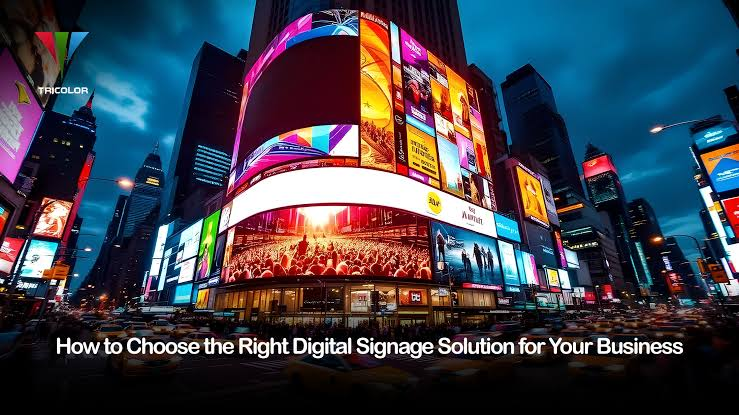
Some displays transform how a business runs. Others collect dust. So what separates one from the other? It comes down to fit — matching what your operation actually needs with what the technology actually does. Displays come in countless varieties, built for wildly different purposes and settings. Pick the wrong one and you’ve burned budget on something that creates friction instead of fixing it. Pick the right one and you’ll see it in productivity numbers, customer engagement, even the bottom line.
Understanding Your Business Display Needs
Don’t start with products. Start with your situation. Different industries — different departments within the same company, honestly — place completely different demands on display hardware. A retail storefront needs visually punchy digital signage that stops people mid-stride. A corporate conference room needs crisp resolution that holds up during video calls. Warehouses demand brightness and ruggedness. Reception areas lean toward aesthetics and clean information delivery. Same category of product, completely different specs.
Pin down the primary purpose first. Promotional content? Real-time data feeds? Video conferencing? Dense spreadsheets? Content type drives everything else. A screen running fast-moving promo videos needs a higher refresh rate than one displaying a static menu board or wait-time counter. Getting clear on content early stops you from overpaying for specs you’ll never use — or worse, buying something that buckles under the actual workload.
Evaluating Display Size and Resolution
Size and resolution aren’t independent choices. They work together, and both hinge on viewing distance. A screen that’s too small becomes illegible from across a room. Too large in a tight space and you get awkward viewing angles that make content unreadable from half the seats. The rough rule: viewers should sit at a distance roughly two to three times the screen’s height. But that shifts depending on whether they need to read fine print or just catch general shapes and colors.
Resolution — 1080p, 2K, 4K — determines pixel density and image sharpness. Higher resolution means crisper images. It also means higher cost and beefier hardware requirements. For basic text and simple graphics, 1080p usually does the job without unnecessary expense. High-def video, detailed photography, content people will scrutinize up close — that’s where 2K or 4K earns its price premium. Don’t assume more is automatically better. Match the spec to the use case.
Considering Brightness and Contrast
Environment matters enormously here. An office display dropped into direct sunlight becomes essentially invisible. A screen calibrated for outdoor brightness will cause eye strain in a dim conference room. Brightness is measured in nits. Outdoor installs typically need 2,000 nits or higher just to stay legible in daylight; indoor retail benefits from somewhere in the 800–1,500 nit range; standard office environments usually function fine at 300–500 nits.
Contrast ratio — the gap between the screen’s brightest whites and deepest blacks — shapes how vivid colors look and how readable text is against any background. High-contrast displays work especially well in retail spaces and lobbies, where ambient light bounces off the screen and competes with your content. In controlled lighting? Moderate contrast is usually plenty, which frees up budget for specs that matter more in your specific context.
Assessing Installation and Maintenance Requirements
Installation decisions shape both upfront costs and long-term headaches. Wall mounts need structural support, proper electrical runs, sometimes network drops close by. Stands and carts buy you flexibility but eat floor space and can look improvised. Recessed or custom mounting looks clean and integrated — but costs more to do right. Know what you’re walking into before you commit.
Maintenance is where a lot of buyers get surprised. Some displays demand regular filter cleaning, firmware updates, and scheduled hardware checks. Others are nearly hands-off beyond wiping the screen. If your organization doesn’t have dedicated IT staff, that gap matters a lot — vendor support quality and setup simplicity become critical factors, not nice-to-haves. Read the warranty terms carefully. Understand replacement part costs. A manufacturer’s reputation for long-term support is worth researching before you sign anything.
Comparing Technology Options and Features
LED, LCD, OLED, e-ink, projection — each has a distinct profile. LED dominates outdoors and high-brightness applications; it’s tough, bright, and built for punishment. LCD delivers solid image quality at reasonable prices for most indoor business needs. OLED offers genuinely superior color accuracy and contrast, though the price reflects that. E-ink consumes almost no power and handles static or slow-changing content beautifully — price tags, wayfinding, that sort of thing. Projection still has its place in certain large-format or event-driven scenarios.
Beyond the core technology, connectivity options deserve a close look: HDMI, USB-C, wireless casting, integrated media players. Touch functionality opens up self-service applications. Built-in speakers, scheduling software, and remote management tools can simplify day-to-day operations considerably. For businesses that need high-impact visuals on a temporary or event-driven basis, professional trade show display rentals offer a flexible alternative to permanent purchases — teams can showcase products and brand messaging at industry events without absorbing the full cost of ownership. Whatever the feature list, focus on what directly serves your use case, and compare across price points to figure out which capabilities actually earn their keep.
Conclusion
The right display isn’t the most expensive one on the shelf. It’s the one that fits. Define your needs clearly. Work through size, resolution, brightness, installation realities, and technology type methodically — not as a checklist, but as interconnected decisions that affect each other. The right solution supports how you work today while leaving room to adapt as things change. Put in the evaluation time upfront. It’s far cheaper than untangling a bad purchase six months later.
