
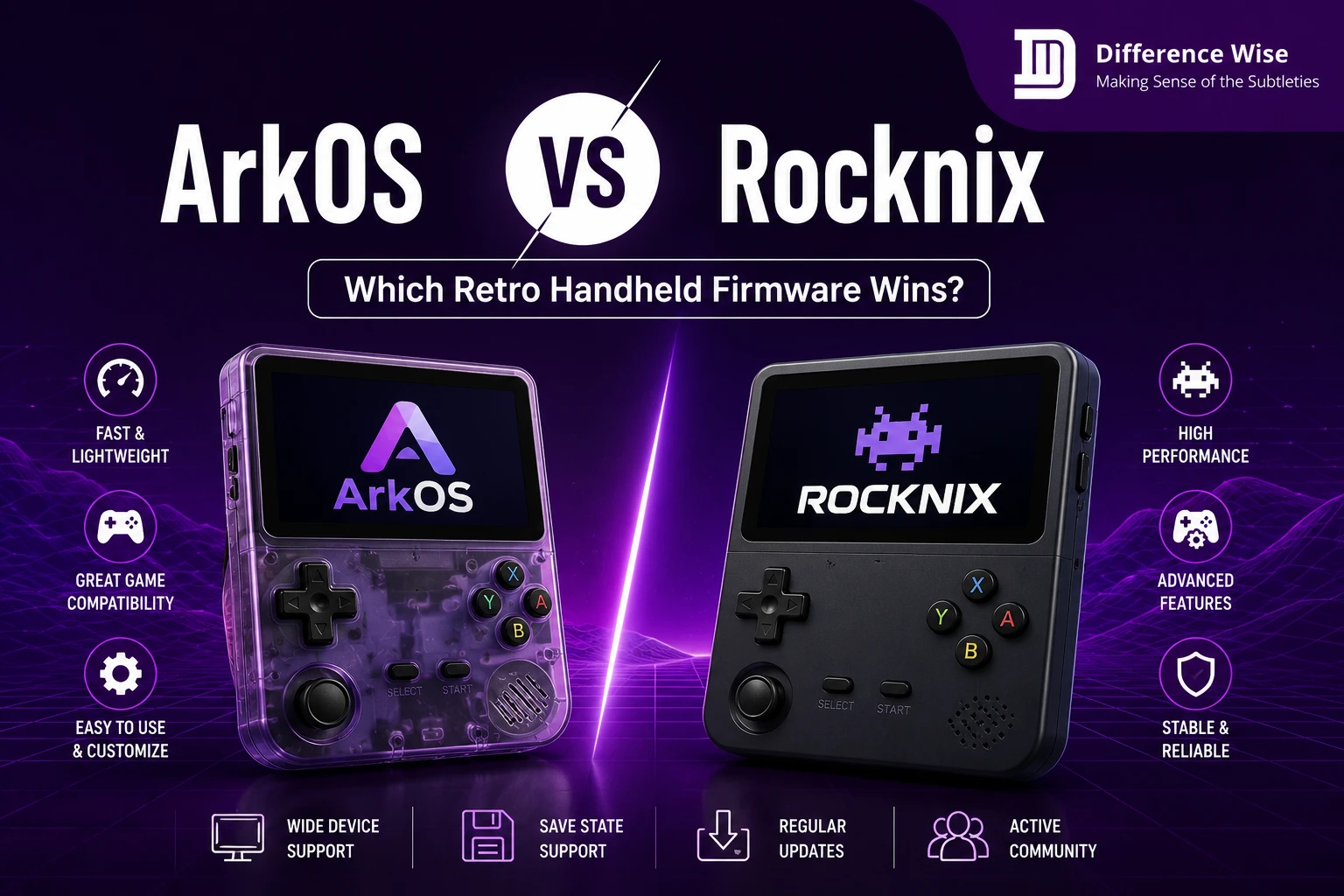
Buying a modern retro gaming handheld opens up an incredible world of classic entertainment. However, the stock software on these machines often delivers a poor experience. To fix this, you must choose a quality custom firmware option like ArkOS vs Rocknix.
Selecting the ideal operating system completely changes how you interact with your classic games. Both options have dedicated followings and unique strengths. This detailed comparison covers their features to help you decide which system suits your specific gaming habits.
System Architecture and Origins
The Ubuntu Base of ArkOS
ArkOS stands for Another RK3326 Rockchip Operating System. It began as a specialized project for older budget processors. Over time, the developer moved the software to a stable Ubuntu Linux foundation.
This operating system relies on a standard Linux file structure. Consequently, it offers incredible flexibility for users who enjoy tweaking background files. The system feels very lightweight because it strips out unnecessary system applications.
The developer focuses heavily on performance tweaks for specific devices. Therefore, the core files receive regular updates to maintain speed. It remains a favorite for classic handheld users who value system speed above all else.
The JELOS Roots of Rocknix
Rocknix is a community-developed Linux distribution built for portable gaming devices. It actually serves as the direct successor to JELOS. JELOS was a famous operating system that closed down some time ago.
A team of passionate creators revived the project under this new name. They utilize a distinct build system designed purely for gaming. Unlike standard computer distributions, it contains only the files needed to run emulators.
This focus ensures the operating system boots quickly on modern chipsets. The team works together to share the development duties evenly. As a result, the software receives rapid updates when new bugs appear.
Core Development Philosophies
The two projects approach development from completely opposite directions. ArkOS is maintained primarily by a single dedicated programmer. He only creates updates for hardware he personally owns and enjoys.
Meanwhile, Rocknix utilizes an open community development model. Dozens of contributors can submit code fixes to their main repository. This allows them to support a massive list of different handheld brands.
This difference in style affects how fast new features arrive. The single-developer model yields incredible stability on supported devices. The community model allows the software to expand onto new hardware rapidly.
User Interface and Menu Navigation
EmulationStation Configuration Choices
Both operating systems utilize EmulationStation to organize your game collections. This front-end software displays your console lists and game titles neatly. However, they handle system settings through very different methods.
ArkOS keeps the system settings separate from the main theme menus. You must go to a dedicated options menu to alter hardware behaviors. This prevents accidental changes while scrolling through your library.
Rocknix integrates almost every system setting directly into the main interface. Pressing the start button opens a unified menu instantly. You can change global settings without leaving your current screen.
RetroArch Integration and Settings Access
RetroArch serves as the main emulation backend for both options. It manages the specific software cores that run individual game files. The way you access these controls varies greatly between systems.
In ArkOS, you must open the native RetroArch menu to tweak game settings. This requires learning specific button combinations to save changes. It provides total control but requires some patience to master.
Rocknix lets you adjust core settings directly from the EmulationStation screen. You can select specific shaders or aspect ratios before launching a game. This arrangement saves time for players who hate scrolling through complex nested screens.
Theme Customization and Options
Visual presentation matters a lot when building a digital arcade. You can download and install dozens of unique themes on both platforms. Changing themes completely alters the look of your system menus.
Choosing a menu layout is a highly personal choice for gamers. It resembles the careful process of picking a specific home styling aesthetic. For instance, homeowners often debate over subtle differences like greek villa vs alabaster paint. Your handheld menus require a similar eye for clean visual layouts.
ArkOS handles theme loading quickly because it keeps background processes minimal. Rocknix displays advanced art assets smoothly due to updated graphic drivers. Both allow you to display box art and preview videos easily.
Performance and Emulation Accuracy
Chipset Compatibility and Scaling
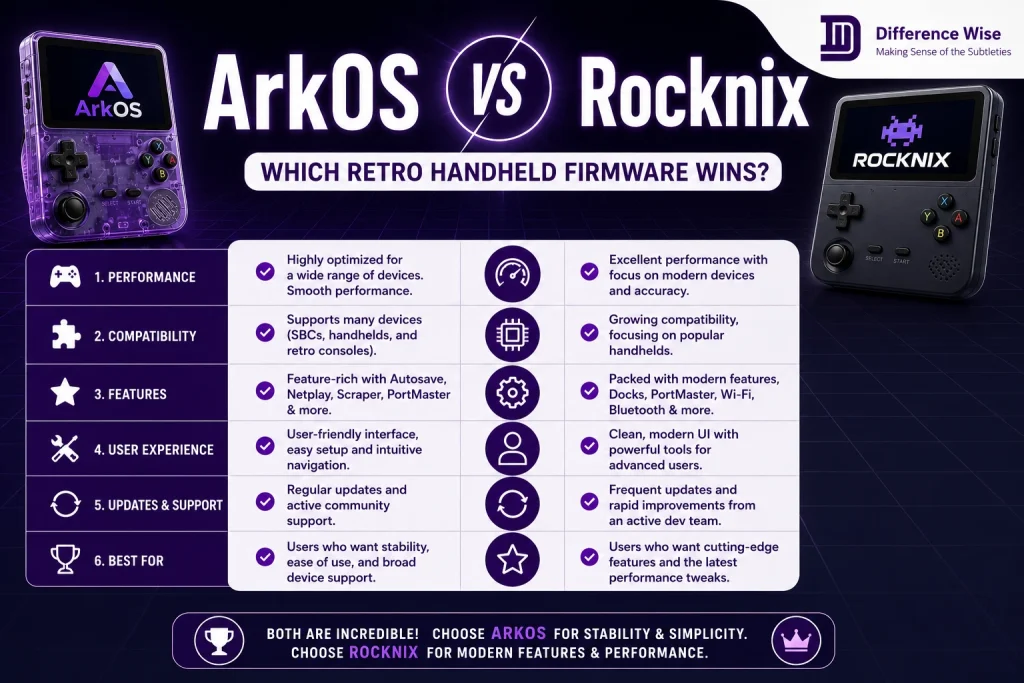
Performance always depends heavily on the underlying processor of your handheld. ArkOS excels at extracting maximum power from older Rockchip processors. It runs demanding systems like the PlayStation Portable surprisingly well.
Rocknix supports a broader range of newer processors from multiple manufacturers. It handles modern chips found in high-end devices with ease. Furthermore, it manages internal display scaling beautifully on high-resolution screens.
Tuning emulator resolution is essential for achieving smooth, authentic gameplay. Gamers often compare minor graphical adjustments to find the right balance. This is quite similar to analyzing specific rendering differences like gsm 0.23 vs gsm 0.38 on ps2 hardware. Finding that sweet spot prevents annoying screen stutter during intense action.
Background Power Management
Battery efficiency determines how long you can enjoy gaming on road trips. ArkOS features legendary power management during active gameplay and sleep mode. The developer tunes the system kernel to reduce power usage whenever possible.
Rocknix sometimes experiences higher battery drain on specific pocket devices. Because it supports many chipsets, universal system tuning remains difficult. Some versions might drain the battery faster when left in standby mode.
Therefore, you should shut down Rocknix completely during long breaks. ArkOS users can safely use sleep mode without fearing a dead battery later. This makes a noticeable difference for daily commuters.
Game Scraping and Metadata Speed
Scraping retrieves beautiful box art and descriptions for your game library. Both systems allow you to scrape data using an internet connection. However, network speeds can vary based on system configurations.
ArkOS uses a lightweight Wi-Fi driver setup to transfer data quickly. It saves the downloaded metadata directly to your game folders. The process runs smoothly without slowing down system menus.
Rocknix includes a powerful built-in scraper that runs in the background. It organizes your files automatically using pre-configured online databases. This makes setting up a new game collection incredibly straightforward.
Features and Everyday Quality of Life
Quick Mode Save States
ArkOS includes a stellar feature called Quick Mode for busy gamers. Pressing a specific hotkey combination saves your game and shuts down instantly. The device draws zero battery power while turned off.
When you turn it back on, the system boots directly into your game. You can resume your adventure in less than twenty seconds. This feature is perfect for playing short sessions during quick breaks.
Rocknix relies on standard auto-save features when exiting games normally. It does not possess an identical instant-shutdown mode right now. However, its standard sleep functions still work well for short pauses.
Wireless Updates and Bluetooth Audio
Wireless features make maintaining your portable console much easier over time. Rocknix offers fantastic out-of-the-box support for modern wireless accessories. Connecting Bluetooth headphones works flawlessly through the main system menus.
Additionally, it handles over-the-air system updates without requiring a computer. You just connect to Wi-Fi and download the latest files. This convenience benefits users who dislike messing with memory cards constantly.
ArkOS also supports wireless updates through its native settings panel. However, configuring Bluetooth audio sometimes requires extra configuration steps. It favors stable wired connections over complex wireless protocols.
PortMaster and Native Gaming Support
PortMaster is a wonderful tool that lets you play native computer games on handhelds. Both operating systems feature full compatibility with this utility. You can play titles like Celeste or Undertale easily.
ArkOS runs PortMaster games with incredible stability due to its Ubuntu foundation. The underlying files match standard Linux requirements perfectly. This allows developers to port games without writing complex code workarounds.
Rocknix also runs these ports well using updated system libraries. It provides excellent controller mapping for native ports automatically. This expands your game library far beyond classic console emulation.
Installation and Long Term Maintenance
Flashing the MicroSD Card System Image
Installing custom firmware requires a computer and a basic flashing application. You must download the correct system image file for your specific handheld. Both projects provide clear image files on their official web pages.
You use programs like BalenaEtcher to write the files to a card. The installation process takes roughly ten minutes on standard computers. After flashing, you insert the card into your device to boot.
ArkOS initializes the file system automatically upon the first boot sequence. Rocknix performs a similar setup process to expand storage partitions. Both systems are relatively easy to install for beginners.
Multi Card Storage Configuration
Many retro handhelds feature two separate MicroSD card slots. The first slot holds the operating system files safely. The second slot stores your massive collection of game files.
Both systems support this dual-card arrangement flawlessly. They automatically create the required game folders on the second card. This setup allows you to update the operating system without losing games.
You can swap your game card between different devices easily. This flexibility makes managing your digital library highly efficient. It keeps your important files safe during system updates.
Update Frequency and Community Support
Long-term support keeps your gaming device relevant as software evolves. The community behind Rocknix posts updates regularly to fix minor bugs. They discuss issues openly on public forum boards and chat channels.
ArkOS receives updates less frequently but each release is incredibly stable. The developer tests changes thoroughly before releasing them to the public. This reduces the risk of updates breaking your current configuration.
Choosing between these support styles involves weighing two distinct operational philosophies. It represents a classic comparison between a singular vision and a collective effort. This is comparable to evaluating unique historical service approaches like barber vs mossy ford traditions. One focuses on personal execution, while the other relies on a wider network.
Choosing the Right OS for Your Device
Best Picks for Anbernic Devices
Anbernic produces some of the most popular retro handhelds available today. Devices like the RG353V run ArkOS beautifully. The hardware matches the lightweight nature of the software perfectly.
ArkOS extracts great performance from these specific screens and buttons. Battery life remains excellent during extended arcade sessions. It makes the Anbernic experience feel highly polished.
However, Rocknix shines on newer Anbernic devices with unique aspect ratios. Its updated graphics drivers handle modern display layouts better. You should check your exact model number before choosing.
Best Selections for Powkiddy Gadgets
Powkiddy devices often feature unique screen resolutions that require special attention. The Powkiddy RGB30 features a distinct square display layout. Rocknix offers incredible built-in settings specifically for this unusual screen.
It scales classic systems to fit the square screen automatically. This saves you from adjusting settings manually for every single game. It makes the setup process much less tedious.
ArkOS also runs well on many Powkiddy devices. However, you might spend more time adjusting aspect ratios in RetroArch. Rocknix remains the easier choice for square displays.
Making Your Final Choice
Your decision ultimately depends on how much you enjoy configuring settings. If you want a stable system with great battery life, select ArkOS. Its Quick Mode feature is unbeatable for gaming on the go.
If you prefer a modern interface with easy menu access, choose Rocknix. The built-in Bluetooth and cloud sync features offer great convenience. Both choices will significantly improve your retro gaming experience.
FAQs
Can I use my existing game card with both systems?
Yes, both systems can read games from a standard second MicroSD card. They use identical folder structures for major classic consoles. However, you should let each system generate its basic folders first before transferring your files.
Does Rocknix support cloud saves automatically?
Rocknix includes built-in support for Syncthing to manage cloud saves easily. You can synchronize your game progress across multiple compatible devices over Wi-Fi. This requires some initial setup but works beautifully once configured.
Which system boots up faster from a cold start?
ArkOS generally boots slightly faster than Rocknix on most handheld devices. Its lightweight Ubuntu foundation lacks heavy background processes. It typically reaches the main game menu in roughly fifteen seconds.
Is Quick Mode available on Rocknix?
No, Rocknix does not have the exact Quick Mode feature found in ArkOS. It uses standard sleep functions and automatic save states instead. ArkOS remains unique in its ability to power down completely and resume instantly.
Final Takeaways
Deciding between these two custom firmware options depends entirely on your personal preferences and hardware model. ArkOS offers a lightweight, rock-solid experience with incredible battery tuning and a highly useful Quick Mode for gaming on the move. It provides deep customization options that appeal greatly to power users who enjoy fine-tuning their systems manually.
Conversely, Rocknix delivers a modern, unified interface that integrates complex backend adjustments directly into the main menus. Its community-driven development ensures broad compatibility with newer handhelds and excellent out-of-the-box wireless feature support. Both systems will successfully rescue your handheld from poor stock software and unlock its true emulation potential. Take time to evaluate your technical comfort level and specific device model before flashing your card.
