
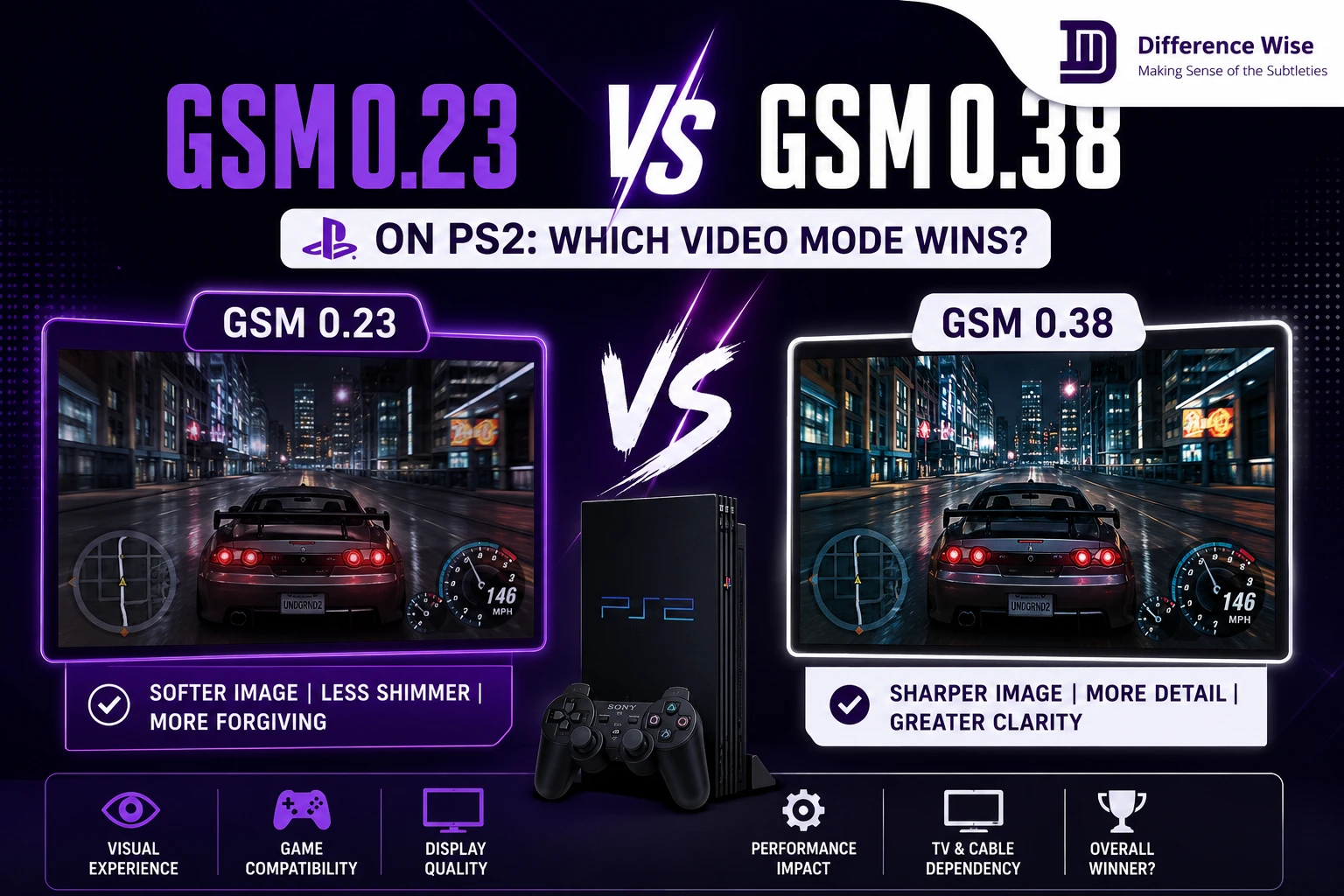
Setting up your retro PlayStation 2 console for modern or classic displays requires specific software modifications. Many enthusiasts find themselves comparing GSM 0.23 vs GSM 0.38 on PS2 to achieve the best picture quality. Both versions change how your games look, but they serve completely different display setups.
Choosing the wrong version can lead to annoying screen glitches or poor video output. Therefore, understanding the differences between these two software builds is highly valuable for your gaming setup. We will examine the core features of each version to help you get the best image.
Understanding Graphics Synthesizer Mode Selector
What is GSM Homebrew?
The Graphics Synthesizer Mode Selector is a brilliant piece of homebrew software for the PlayStation 2 console. It gives players the power to alter the video output resolution of their entire game library. Normally, games boot in their standard factory formats. This software intercepts that signal and forces a completely new display mode.
Developers in the homebrew community created this tool to help games adapt to changing television hardware over the years. It opens up hidden video modes that game studios locked away during original production. Therefore, it remains a vital utility for modern retro gaming setups.
Using this tool does not require physical hardware modifications to your console motherboard. It runs entirely from software files stored on your custom memory card. This makes it highly accessible for casual players who fear opening their machines.
How Resolution Forcing Works
The software operates by modifying internal registry values within the console video hardware before a game fully boots up. It tells the Graphics Synthesizer chip to render graphics at a specified resolution value. For example, you can force standard definition titles into clean progressive scan modes.
This adjustment happens in real time as the console processes the game data active memory. However, not every game responds perfectly to these forced commands from the software. Some titles require specific timing fixes to prevent screen freezing during intensive gameplay sections.
Furthermore, certain games have hardcoded display limits built into their engine code. Forcing these titles to change resolutions might cause the game to crash instantly. You must test individual titles to find out which ones support forcing.
Standalone Applications Versus OPL Integration
Early iterations of this video software existed purely as standalone programs that players launched from memory cards. You had to boot the utility, choose your settings, and then load your game launcher. This process required several tedious steps before you could start playing.
In contrast, newer versions are built right into modern game loaders for maximum user convenience. This development mirrors how other software platforms integrate secondary features over time. For example, when you compare handheld firmware like arkos vs rocknix, you notice a similar shift toward unified software menus. This integration simplifies daily use significantly.
Having the software integrated directly means less menu swapping for the end user. You can manage your entire library from a single interface screen. This saves valuable time when you just want to enjoy a quick gaming session.
The Classic GSM 0.23 Version Detailed
True 240p Downscaling Support
The older GSM 0.23 software build remains highly famous for one incredible feature. It successfully forces a true 240p non-interlaced video output signal. Many classic PlayStation 2 games actually render internally at 480i, which causes severe screen flickering.
This older version downscales that interlaced signal down to a stable low-resolution format. It accomplishes this task without distorting the original artwork shapes or stretching textures. Therefore, it preserves the authentic look of classic two-dimensional sprite games perfectly.
Many arcade ports benefit immensely from this specific downscaling process. Pixels look sharp and perfectly square on the screen. It breathes new life into classic fighting games and retro compilations.
CRT Television Performance
Owners of vintage cathode-ray tube televisions absolutely adore this older software version. Forcing true 240p restores beautiful, thick scanlines across the glass screen surface. These black lines create the authentic retro look that modern displays often struggle to replicate.
Additionally, eliminating the standard 480i flicker reduces eye strain during long gaming marathons. Fighting games and classic arcade collections look significantly sharper on original tubes with this setup. It provides a visual experience that matches original arcade cabinet hardware closely.
The colors also appear richer when the interlacing flicker disappears completely. The image stays completely steady even during fast horizontal scrolling scenes. It is the ultimate setup for retro purists.
Compatibility With Older Loaders
Because this version is an older standalone file, it pairs best with vintage homebrew tools. You must use older versions of Open PS2 Loader to prevent software conflicts. Specifically, version 0.9.3 works beautifully alongside this standalone utility.
Managing multiple old software files requires some patience from the user. You must organize your memory card directories carefully to ensure everything boots in the correct sequence. However, the spectacular visual rewards on a classic television make the extra effort worthwhile.
Newer loaders will automatically override these older standalone settings during the boot process. Therefore, keeping an older loader version handy is necessary for this specific method. It keeps your classic configurations running without unexpected changes.
The Modern GSM 0.38 Version Explored
Native Open PS2 Loader Integration
The modern GSM 0.38 build comes pre-installed inside almost every recent Open PS2 Loader release. You do not need to launch a separate file before starting your favorite games. Instead, you simply press a single button on your game list menu.
This feature allows you to save custom video settings for each individual game in your library. The system applies your chosen resolution automatically whenever you launch that title. This streamlined approach saves an incredible amount of time during casual gaming sessions.
You can set one game to 480p and another to 1080i without changing global files. The loader stores these preferences inside a small configuration file automatically. It makes managing a large collection completely painless.
High Definition Upscaling Strengths
This updated software version focuses heavily on modern high-definition displays. It excels at forcing games into 480p, 720p, or even 1080i resolutions. It stretches the internal rendering boundaries to deliver a much cleaner digital picture.
When paired with high-quality component cables, text and three-dimensional models appear noticeably sharper on your screen. It reduces the fuzzy blur that usually occurs when connecting old analog consoles to modern panels. This makes playing massive three-dimensional adventures much more enjoyable on large screens.
Text inside menus becomes much easier to read from a distance. Jagged edges on three-dimensional models are smoothed out significantly by the higher output resolution. It updates the visual experience for modern display standards.
Modern Television Adaptability
Most modern flat-screen televisions completely drop support for old analog signals like 240p or 480i. Therefore, this newer software helps bridge the gap between old hardware and modern display standards. It ensures your console continues to function on brand new living room displays.
Finding the right hardware balance for your home setup is always a major priority. This careful consideration extends to all areas of home improvement and renovation projects. Homeowners face similar material durability questions when analyzing options like dekton vs quartz for kitchen surfaces. Choosing the right version ensures your setup endures over time.
Without this upscaling capability, your modern television might display a stretched, blurry mess. It gives your old console a permanent place in a modern entertainment center. It keeps your classic library accessible without requiring multiple televisions.
Direct Comparison and Video Glitches
Interlaced Versus Non Interlaced Modes
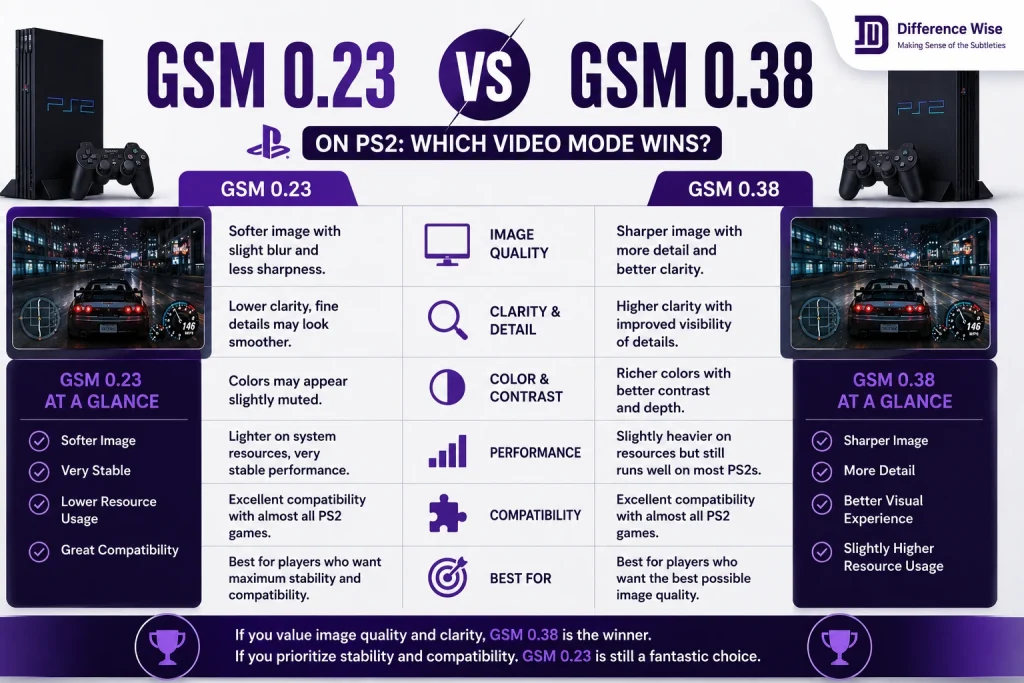
The fundamental divide between these two versions comes down to interlacing control. The older build handles non-interlaced signals perfectly but struggles with high-definition formats. It cannot match the clean high-resolution output of the newer software version.
Meanwhile, the newer update handles high-definition signals flawlessly but fails at low-resolution non-interlaced tasks. It simply cannot generate a proper 240p signal without causing major software errors. Your choice depends entirely on your target display type.
Choosing between them requires identifying your primary television display technology first. You cannot expect a single version to handle every type of screen perfectly. They are specialized tools built for specific display eras.
Screen Cropping and Image Squishing
Using the newer update to force low resolutions usually results in immediate visual bugs on your monitor. The image will often squish into a tiny band across the middle of your screen. In worse scenarios, the software completely cuts off the bottom half of the play area.
These errors occur because the modern code lacks the specific timing registers present in the older build. The newer system tries to fit the retro image into a modern high-definition framework. This forced adjustment breaks the display scaling completely for classic sprite games.
You might also experience severe screen shaking when forcing unsupported modes. This shaking can make playing fast action games completely impossible. Reverting to the correct software version resolves these issues immediately.
Hardware Setup Realities
Your physical cable setup also dictates which version will perform best for your system. High-definition upscaling requires component cables or a quality HDMI adapter to function at all. Standard composite cables cannot carry progressive scan or high-definition signals.
Therefore, you must match your software choice to your physical cords and television inputs. Exploring these historical hardware variations is an interesting journey for dedicated collectors. It resembles studying unique business histories, such as exploring the differences between barber vs mossy ford operations. Knowing the background details helps you achieve the best outcome.
Investing in good cables is just as important as choosing the right software build. Poor shielding in cheap cords will introduce annoying video noise. Quality hardware ensures your software adjustments look pristine on screen.
Video Cable Options and Hardware Requirements
Standard Composite Versus Component Cables
The yellow composite cable that came in the original box cannot handle advanced video forcing. It is limited strictly to a standard definition interlaced signal. Trying to force 480p over composite results in a distorted image or a total loss of signal.
Switching to red, green, and blue component cables unlocks the true power of your graphics chip. These cables separate the video signal into distinct color channels for cleaner transmission. This separation allows the console to output clean progressive scan images safely.
Component cords provide a massive leap in clarity even without software forcing enabled. Text becomes sharper and colors look far more vibrant. They are an absolute requirement for any high-definition upscaling attempts.
HDMI Adapter Solutions
Many modern televisions no longer include component jacks on their back panels. In this situation, a dedicated HDMI adapter becomes necessary for your setup. These little devices plug directly into the console video output port.
They convert the analog component signal into a digital format that modern televisions understand. Some premium adapters even include built-in upscaling chips to assist your console. This hardware addition makes running the modern software version much more effective.
However, cheap adapters can introduce noticeable input lag during fast games. You should research adapter brands carefully before making a final purchase. Quality conversion keeps your games responsive and sharp.
CRT Monitor Adjustments
If you choose the older software version for a vintage monitor, adjustment settings remain vital. Original televisions often feature hidden service menus for adjusting image geometry. Forcing 240p might require small horizontal or vertical position tweaks.
These manual adjustments ensure the classic sprite images fit the glass perfectly. It prevents important heads-up display elements from getting cut off at the screen edges. Taking time to calibrate your tube yields a perfect arcade experience.
FAQs
Can I run both versions on the same memory card?
Yes, you can keep both software versions on your Free McBoot memory card. You just need to launch them as separate executable files depending on your needs.
Why does my screen go black when forcing 480p?
A black screen usually means your television cannot accept that specific video frequency. Make sure you are using component cables or an HDMI converter.
Does forcing higher resolutions cause game lag?
Forcing higher resolutions can occasionally cause slowdown in graphically demanding games. The console hardware has to work harder to output the larger image format.
Which version is better for modern flat screens?
The newer 0.38 version is definitely better for modern flat screens because it handles high-definition upscaling perfectly.
Can I get scanlines on an HDMI monitor using these tools?
No, these tools do not add artificial scanlines to digital monitors. True scanlines require an older cathode-ray tube television running the 0.23 version.
Final Takeaways
Choosing between these two software versions depends entirely on the type of television you use for retro gaming. The classic 0.23 version remains the absolute champion for vintage cathode-ray tube displays because it downscales images to a true 240p resolution. This low-resolution output restores beautiful, authentic scanlines and eliminates annoying screen flicker for classic two-dimensional arcade games. On the other hand, the modern 0.38 version is the ideal choice for modern high-definition flat screens. Its native integration into modern game loaders makes saving individual game settings incredibly easy and fast. It excels at pushing three-dimensional games up to 480p or 1080i for a much sharper image on modern digital displays. Match your software choice to your display hardware to enjoy the best possible retro gaming experience.
